
Read Chapters 4 and 29 in LAH.
[user@localhost]$ cat /etc/redhat-release
Fedora release 11 (Leonidas)
[user@localhost]$ ps -elf  # Sys V syntax ; Berkeley is more like ps alxwwww
F S UID        PID  PPID  C PRI  NI ADDR SZ WCHAN  STIME TTY          TIME CMD
4 S root         1     0  0  80   0 -  1020 poll_s Aug25 ?        00:00:00 /sbin/init
1 S root        29     2  0  80   0 -     0 pdflus Aug25 ?        00:00:00 [pdflush]
1 S root        31     2  0  75  -5 -     0 kswapd Aug25 ?        00:00:06 [kswapd0]
0 S root      1260     1  0  80   0 -  2783 wait   Aug25 ?        00:00:00 /bin/sh /command/svscanboot
0 S root      1283  1260  0  80   0 -   985 hrtime Aug25 ?        00:00:01 svscan /service
0 S root      1289  1283  0  80   0 -   942 poll_s Aug25 ?        00:00:00 supervise dnscache
0 S root      1290  1283  0  80   0 -   942 poll_s Aug25 ?        00:00:00 supervise log
4 S 501       1291  1289  0  80   0 -  1326 poll_s Aug25 ?        00:00:01 /usr/local/bin/dnscache
4 S Gdnslog   1292  1290  0  80   0 -   978 pipe_w Aug25 ?        00:00:00 multilog t ./main
4 S root      1659     1  0  80   0 - 42145 epoll_ Aug25 ?        00:00:00 cupsd -C /etc/cups/cupsd.conf
5 S ntp       1897     1  0  80   0 -  7985 poll_s Aug25 ?        00:00:00 ntpd -u ntp:ntp -p /var/run/ntpd.pid -g
5 S root      1954     1  0  80   0 - 19398 poll_s Aug25 ?        00:00:00 sendmail: accepting connections
1 S smmsp     1962     1  0  80   0 - 15739 pause  Aug25 ?        00:00:00 sendmail: Queue runner@01:00:00 for /var/spool/clientmqueue
1 S root      1974     1  0  80   0 - 25073 hrtime Aug25 ?        00:00:00 crond
[root@localhost root]# top -b -n1   # run in batch mode for one iteration
 08:17:41  up 1 day, 18:12,  2 users,  load average: 9.69, 9.14, 8.89
115 processes: 114 sleeping, 1 running, 0 zombie, 0 stopped
CPU states:  cpu    user    nice  system    irq  softirq  iowait    idle
           total    0.0%    0.0%    0.9%   0.0%     0.9%    0.0%   98.0%
Mem:   510344k av,  392504k used,  117840k free,       0k shrd,   17208k buff
                    240368k actv,   55488k in_d,    4760k in_c
Swap:  522104k av,   90392k used,  431712k free                   72852k cached

  PID USER     PRI  NI  SIZE  RSS SHARE STAT %CPU %MEM   TIME CPU COMMAND
 1090 root      20   0  1088 1088   832 R     0.9  0.2   0:00   0 top
    1 root      15   0   492  456   432 S     0.0  0.0   0:08   0 init
    3 root      15   0     0    0     0 SW    0.0  0.0   0:00   0 keventd
[root@localhost root]# lsof       # heavily redacted to fit on page
COMMAND     PID    USER   NODE NAME
sendmail  20824    root 159526 /lib/libcrypt-2.3.2.so
sendmail  20824    root 159568 /lib/libcrypto.so.0.9.7a
sendmail  20824    root 319023 /usr/lib/libldap.so.2.0.17
sendmail  20824    root  32286 /usr/lib/sasl/libcrammd5.so.1.0.19
sendmail  20824    root  32104 /usr/kerberos/lib/libk5crypto.so.3.0
sendmail  20824    root  32095 /lib/tls/libdb-4.2.so
sendmail  20824    root 318943 /usr/lib/libz.so.1.1.4
sendmail  20824    root  65611 /dev/null
sendmail  20824    root    TCP anothermachine.com:smtp->10.1.1.20:
sendmail  20824    root  65611 /dev/null
sendmail  20824    root  16220 socket
sendmail  20824    root    TCP anothermachine.com:smtp->10.1.1.20:
sendmail  20824    root    TCP localhost.localdomain:48512->localh
sendmail  20824    root    TCP anothermachine.com:smtp->10.1.1.20:
        .file   "syslog.c"        ; the source file name for this code
        .data                     ; a data section
        .align  4                 ; put PC on 4 (or 16) byte alignment
        .type   LogFile,@object   ; create a reference of type object
        .size   LogFile,4         ; and give it 4 bytes in size
LogFile:                          ; address for object
        .long   -1                ; initialize to a value of -1
        .align  4                 ; align . to 4 (16) byte
        .type   LogStat,@object   ; a new object reference is created
        .size   LogStat,4         ; give it 4 bytes also
LogStat:                          ; here's its address in memory
        .long   0                 ; and initialized it to a value zero
        .section     .rodata      ; here's a ``read-only'' section
.LC0:                             ; local label for a string
        .string "syslog"          ; initialized to "syslog"
       [ ... ]
        .text                     ; now we have some executable code
.globl syslog                     ; and it is a global symbol for
        .type   syslog,@function  ; a function syslog()
syslog:
        pushl   %ebp              ; and away we go...
        movl    %esp, %ebp
        subl    $8, %esp
When we refer to a daemon process, we are referring to a process with these characteristics:
Generally a daemon provides a service. So why not put such services in the kernel?
TRADITIONAL: init (pid 1) daemon: The first ``user'' process started by the kernel; its userid is 0. All other ``normal'' processes are descendants of init. Depending on the boot parameters init, you might see something along these lines:
There is a lot of flux in this area; we saw, for instance, in Fedora 11-13 replacement of the old SysV init with upstart, but now Fedora 14-17 have moved to systemd; hopefully, whatever the engine, we can get better dependency resolution than we have had previously and faster boot times. (Take a look at /etc/event.d on Fedora for instance.)
While systemd can support old AT&T scripts, it is designed to instead to have any startup parameters actually processed by systemd rather than the execution of a standalone script.
/*
 * The relationship between dirty buffers and dirty pages:
 *
 * Whenever a page has any dirty buffers, the page's dirty bit is set, and
 * the page is tagged dirty in its radix tree.
 *
 * At all times, the dirtiness of the buffers represents the dirtiness of
 * subsections of the page.  If the page has buffers, the page dirty bit is
 * merely a hint about the true dirty state.
 *
 * When a page is set dirty in its entirety, all its buffers are marked dirty
 * (if the page has buffers).
 *
 * When a buffer is marked dirty, its page is dirtied, but the page's other
 * buffers are not.
 *
 * Also.  When blockdev buffers are explicitly read with bread(), they
 * individually become uptodate.  But their backing page remains not
 * uptodate - even if all of its buffers are uptodate.  A subsequent
 * block_read_full_page() against that page will discover all the uptodate
 * buffers, will set the page uptodate and will perform no I/O.
 */
(from fs/buffer.c in kernel 2.6.29)
Amusingly enough, this very same line of reasoning is being revived by systemd; see this blog posting by its author. (note that daemontools also has used a related idea since 2001, but more for monitoring purposes.)
The configuration file structure for xinetd is /etc/xinetd.conf and also /etc/xinetd.d/*. These files are used to modify general behavior of the daemon and the directory /etc/xinetd.d contains separate files per service. Your CentOS machines use xinetd instead of inetd.
When installing new software packages you may have to modify /etc/inetd.conf, /etc/xinetd.d/ files, and/or /etc/services. A hangup signal (kill -HUP SOMEPID) will get the inetd/xinetd to re-read its config file. Or you might be able to use a startup script, such as ``/etc/init.d/inetd restart'') or ``service inetd restart''.
portmap/rpcbind : portmap (rpcbind on OpenSolaris and BSD) maps Sun Remote Procedure Call (RPC) services to ports (/etc/rpc). Typically, /etc/rpc looks something like:
[root@vm5 etc]# more /etc/rpc
#ident  ``@(#)rpc        1.11    95/07/14 SMI''   /* SVr4.0
#
#       rpc
#
portmapper      100000  portmap sunrpc rpcbind
rstatd          100001  rstat rup perfmeter rstat_svc
rusersd         100002  rusers
nfs             100003  nfsprog
ypserv          100004  ypprog
mountd          100005  mount showmount
ypbind          100007
walld           100008  rwall shutdown
yppasswdd       100009  yppasswd
Note that syslog is generally being replace rsyslog.
A process can make a logging request to the syslogd by using the function syslog(3). syslogd determines what to do with logging requests according to the configuration file /etc/syslog.conf
/etc/syslog.conf generally looks something like:
*.info;mail.none;news.none;authpriv.none;cron.none  /var/log/messages
authpriv.*                                          /var/log/secure
mail.*                                              /var/log/maillog
cron.*                                              /var/log/cron
*.emerg                                             *
uucp,news.crit                                      /var/log/spooler
local7.*                                            /var/log/boot.log
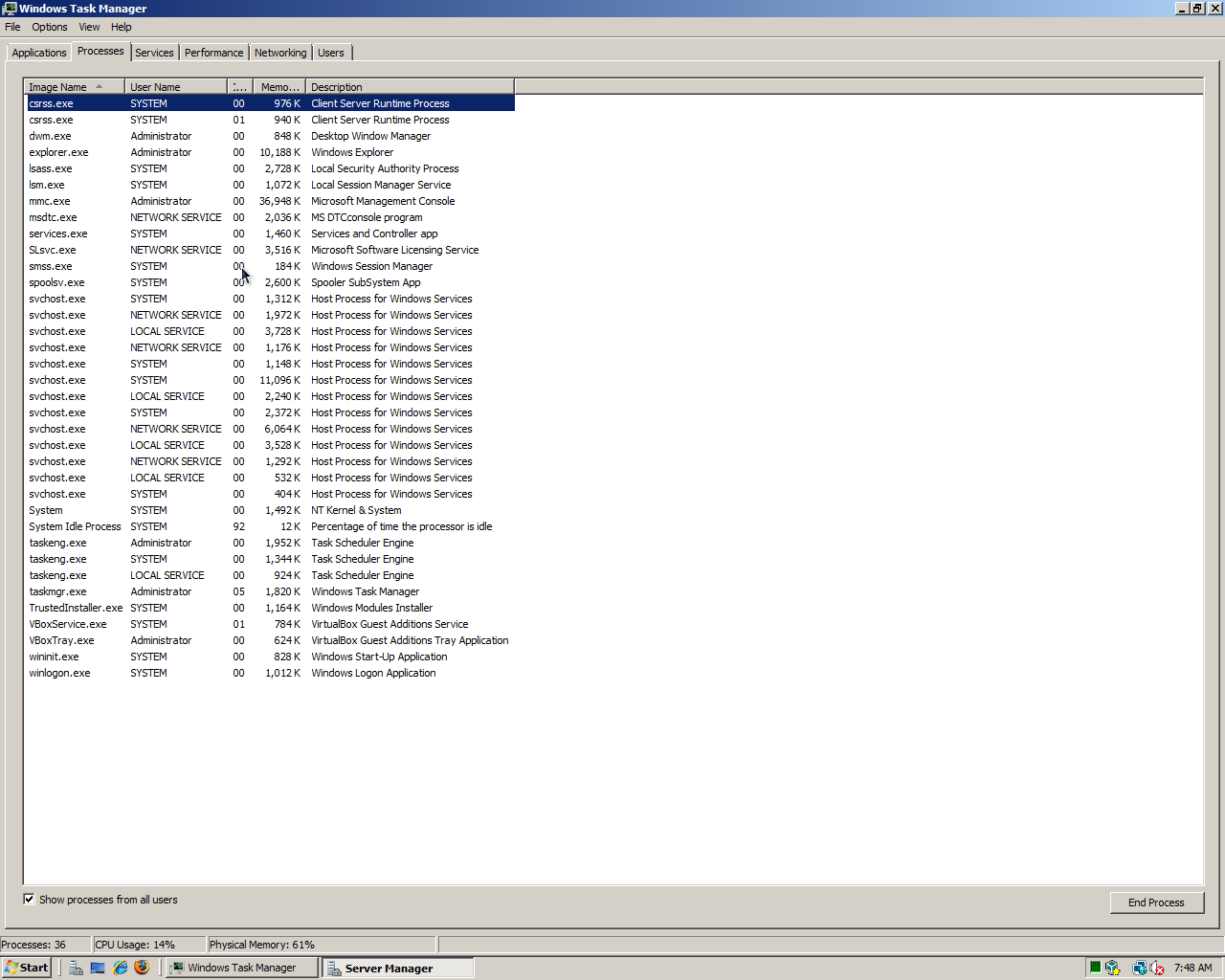
You can see the processes running under Windows via the Windows Task Manager — Press CTRL-ALT-DEL, select Task Manager.
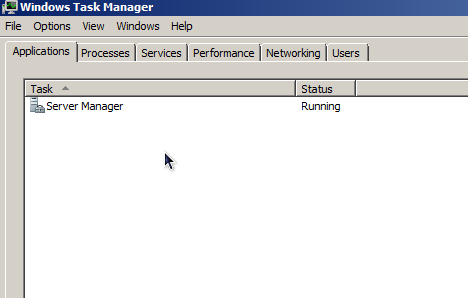
You can see "applications" running under Windows via the Windows Task Manager — Press CTRL-ALT-DEL, select Task Manager.
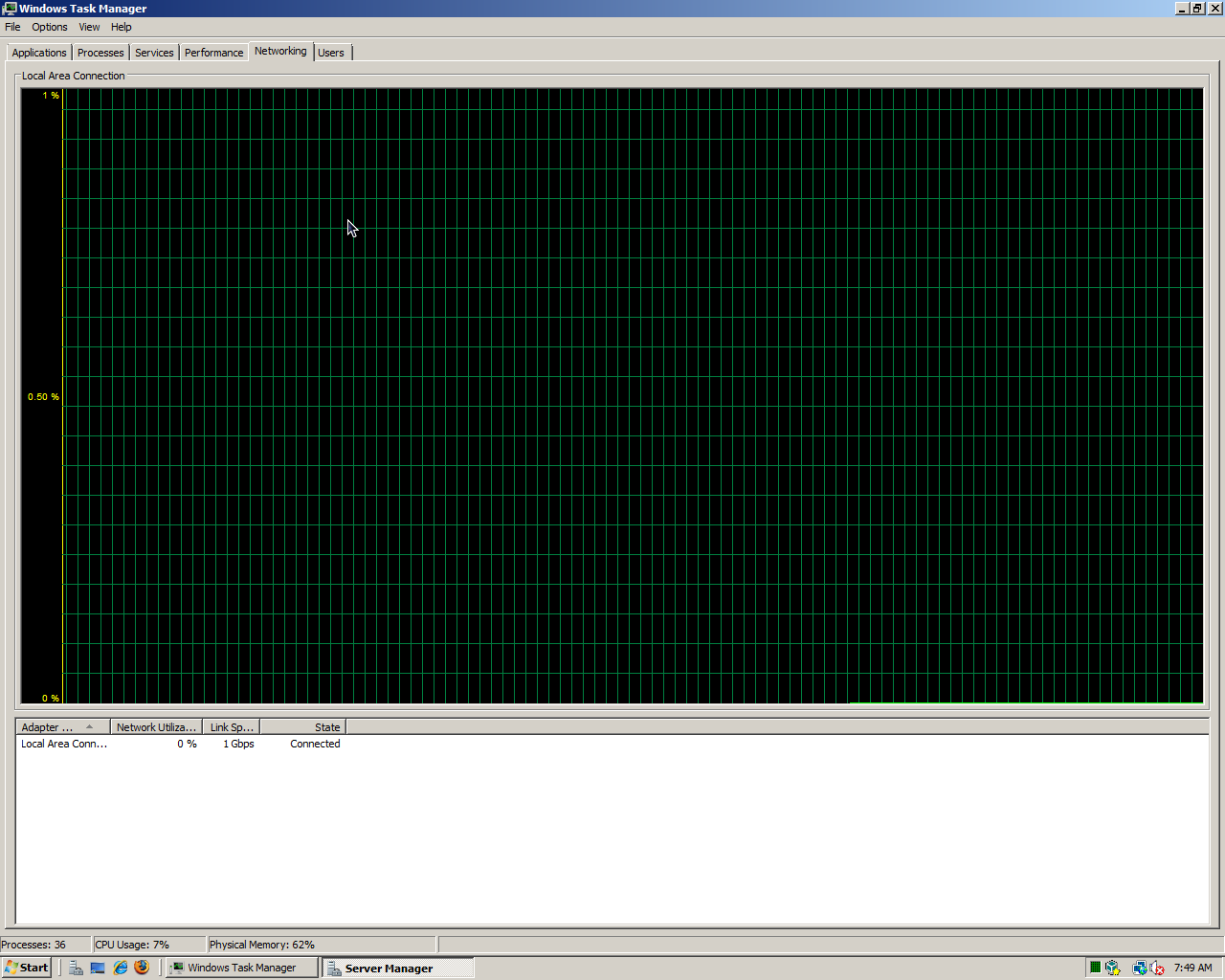
You can see network activity via the Windows Task Manager — Press CTRL-ALT-DEL, select Task Manager.
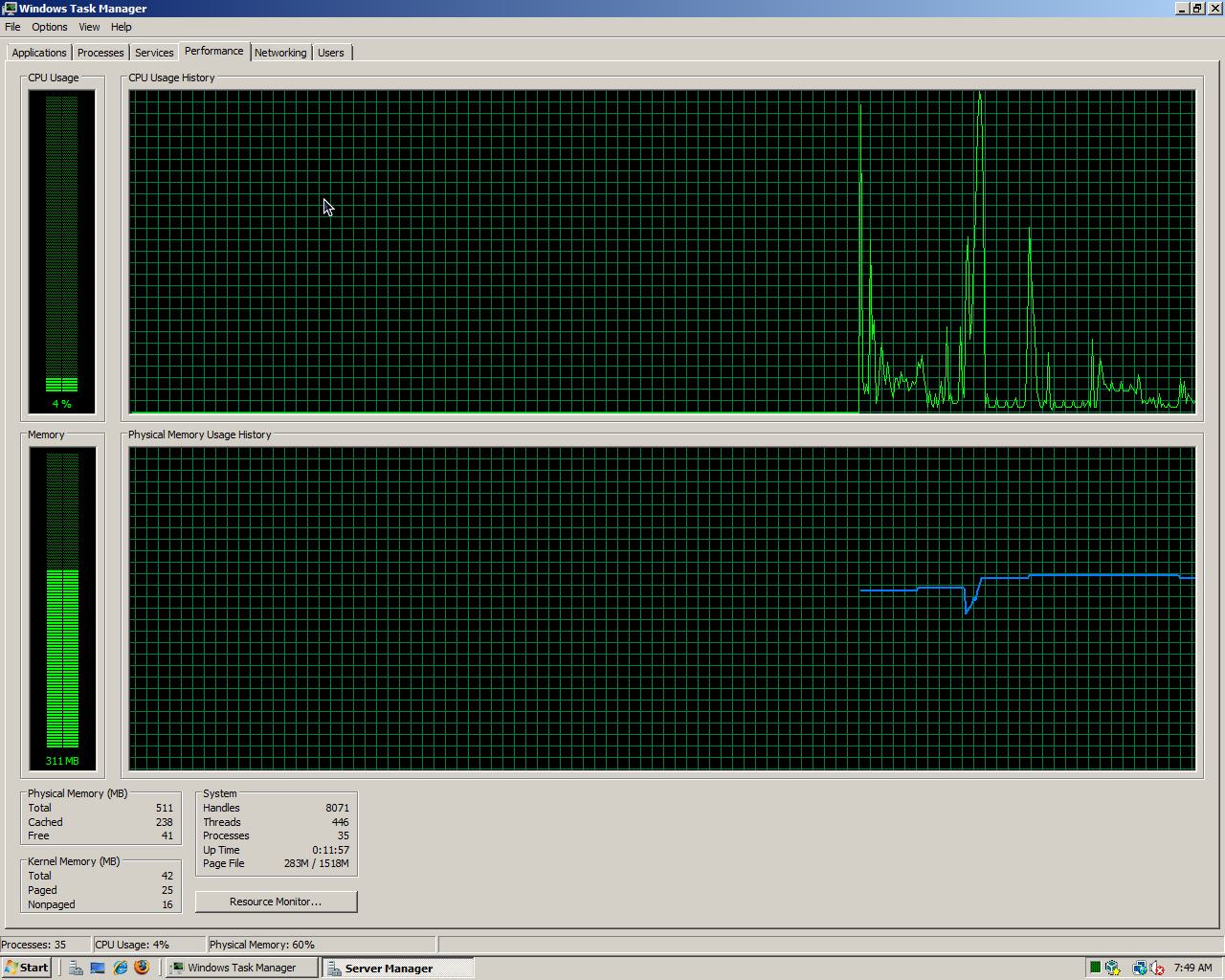
You can see performance via the Windows Task Manager — Press CTRL-ALT-DEL, select Task Manager.

You can see useres via the Windows Task Manager — Press CTRL-ALT-DEL, select Task Manager.
A nice feature of the Processes display is the ability to sort on any column by clicking on the column header (the sort toggles from ascending/descending).
Thus ends our initial summary of daemons!